Killing the process does not clean a compromised switch or firewall when a scheduled job reinstalls the malware. Find and remove scheduled tasks before you call the device clean.
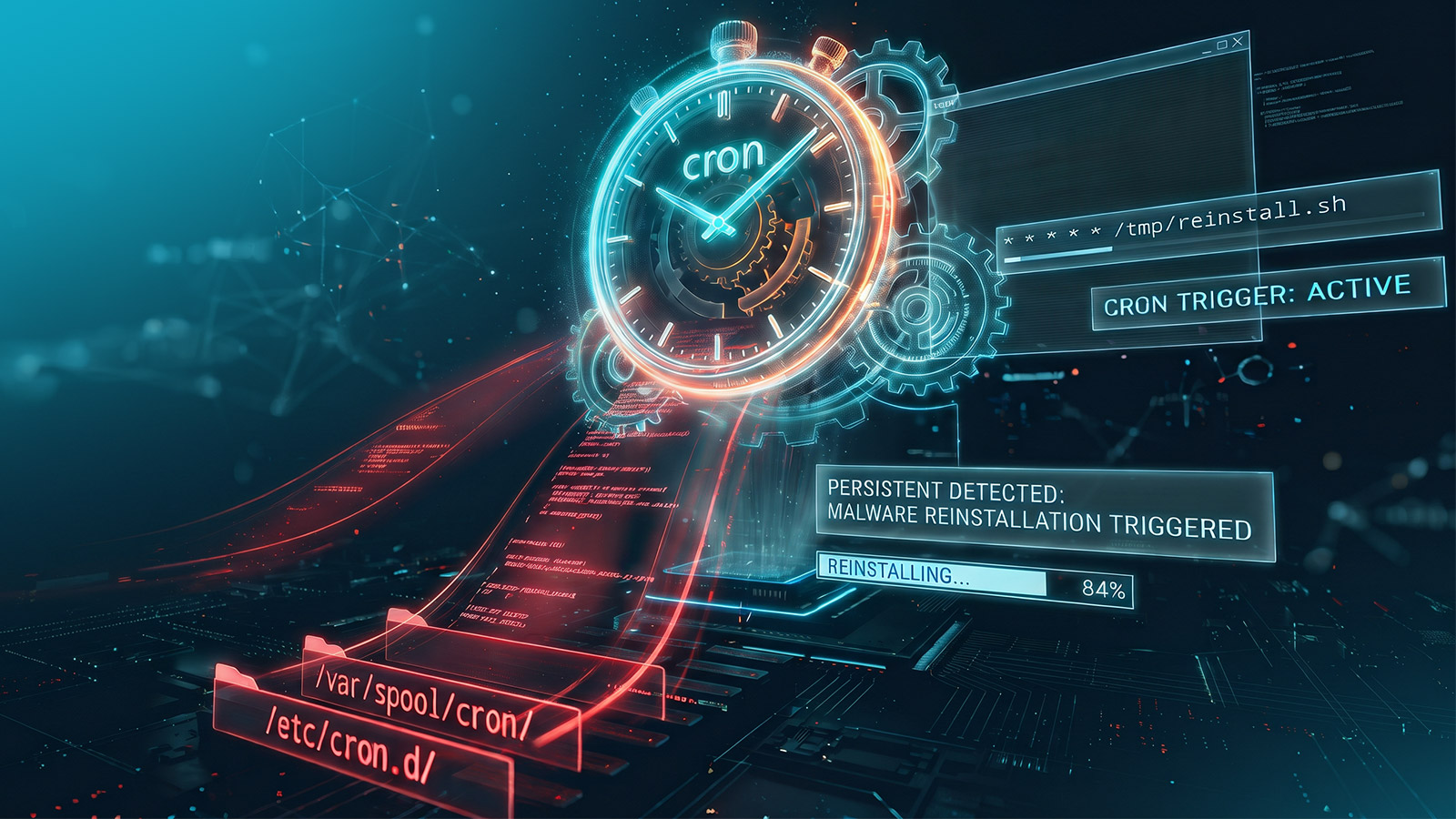
On August 13, 2026, FortiGuard Labs, Fortinet’s threat research team, published an analysis of Evooo1Bot, a Linux botnet that targets internet-facing routers, firewalls, IP cameras, PBX phone systems, and NAS devices. A single bot command, !persist, installs several persistence mechanisms at once. One of them is a cron entry that runs every five minutes, downloads the malware again with wget or curl, and pipes it straight into a shell. If a responder kills the bot process and deletes the binary, the device reinfects itself on the next five-minute mark.
That pattern is not unique to one botnet. In February 2026, Flare’s research team described SSHStalker, which installs a cron job that runs every minute and relaunches the kit if its process is gone. In Flare’s words, “if a defender kills the main process, cron just brings it back within 60 seconds quietly and automatically.” On a Linux-based network appliance, cron is the mechanism that undoes your cleanup, so any response to a suspected appliance compromise needs to inventory and clear scheduled jobs before the device is declared clean.
Send this to the people who own your switches, firewalls, and load balancers. Network administrators should be able to pull the scheduled jobs from those devices on request. Detection engineering should confirm whether cron content from network devices is monitored at all, and note where it does not. If a device has an entry that downloads and executes code, that is a compromise indicator, and incident response should own the investigation from that point.
Cron jobs on an appliance versus a server
Cron is the standard Linux job scheduler. It reads schedules from /etc/crontab, the /etc/cron.d/ directory, the /etc/cron.hourly/, /etc/cron.daily/, /etc/cron.weekly/, and /etc/cron.monthly/ directories, and per-user spool files under /var/spool/cron/. MITRE ATT&CK, the public catalog of attacker techniques, tracks this as Scheduled Task/Job: Cron (T1053.003).
Arista EOS, Cisco NX-OS, F5 BIG-IP, and many other network operating systems are built on Linux, which includes cron. The difference from a general-purpose server is how the devices are managed. Administrators work in the vendor CLI, configuration management tracks the vendor configuration, and the Linux crontab on the device is rarely inspected. Endpoint detection and response (EDR) agents generally do not run on these appliances.
The upside for defenders is that an appliance crontab is small and changes rarely. The legitimate jobs come from the vendor and handle log rotation, cleanup, and health checks. A job that reaches out to the internet and runs what it downloads has no business on a switch.
How to check a device by hand
Start with the device’s Linux shell. On Arista EOS, the bash command from privileged mode opens one. On Cisco NX-OS, run bash requires the feature bash-shell configuration, which is off by default on many deployments. If your change process does not allow enabling it, record that cron was not inspected rather than recording a clean result. Your network team will know which devices allow shell access.
Read what the scheduler actually runs, with comments stripped:
grep -rv '^\s*#' /etc/crontab /etc/cron.d/ /var/spool/cron/ 2>/dev/null
Read the spool files directly instead of relying on crontab -l alone. An attacker with root can write straight into /var/spool/cron/, which cron honors, and never invokes the crontab command that would show up in shell history. The spool path also differs by distribution (/var/spool/cron/crontabs/ on Debian-based systems, /var/spool/cron/ on Red Hat-based systems), so check both.
Look for execution primitives across the whole cron surface:
grep -rEi '(curl|wget|tftp|nc |ncat|/dev/tcp|base64|\|\s*(ba)?sh)' \
  /etc/crontab /etc/cron* /var/spool/cron/ 2>/dev/null
A hit on curl or wget combined with a pipe to sh or bash is evidence of the Evooo1Bot malware, and it warrants incident response involvement. A reference to /dev/tcp, nc, or ncat suggests a reverse shell. A long base64 string in a crontab line is someone hiding a command.
Then look for high-frequency and boot-time jobs:
grep -rE '(@reboot|^\*/[1-5] |^\* \* \* \* \*)' \
  /etc/crontab /etc/cron* /var/spool/cron/ 2>/dev/null
Expect hits here on a healthy device, because some vendors run their own jobs every minute (more on that below). Treat a frequent schedule as suspicious, not as a confirmed compromise.
Finally, put the cron files on a timeline and compare them with login history:
find /var/spool/cron /etc/cron.d /etc/cron.* -type f \
  -printf '%TY-%Tm-%Td %TH:%TM  %p\n' 2>/dev/null | sort
last -Faiwx | head -40
The -printf option requires GNU find, and appliances built on BusyBox may not support it. A cron file modified shortly after an unexplained administrative login is valuable evidence for incident response, and it tells you which account to investigate.
If you find a malicious entry, preserve a copy of the file and its timestamps before removing it, then remove the entry before killing the process. Doing it the other way around gives the scheduler another chance to run.
What cron coverage does not tell you
Cron is one of several places malware persists. Evooo1Bot’s !persist also writes a systemd unit with the description “Apache HTTPD Cache Manager,” an /etc/init.d script, an /etc/rc.local entry, and a login script under /etc/profile.d/. Removing the cron entry alone leaves those in place, so be certain to also check the startup services and login scripts.
Network operating systems also have schedulers of their own that are not cron, such as the NX-OS scheduler feature and Embedded Event Manager (EEM) applets, and the Arista EOS schedule command and event handlers. Those live in the vendor configuration, not in the Linux crontab. Some platforms also have boot-time hooks on persistent flash storage, such as /mnt/flash/rc.eos on Arista EOS. Whether a cron entry by itself survives a reboot or software upgrade depends on how each platform stores its root filesystem, and we have not tested that across every platform.
What to do now
- Network and appliance administrators: For any device under investigation, export the cron files and the vendor scheduler configuration, and confirm which devices allow shell access at all. The useful result is a per-device list showing what was inspected and what could not be.
- Detection engineering: Confirm whether cron content from network devices is monitored.
- Incident response: Treat a fetch-and-execute cron entry, a reverse-shell command, or a job running from /tmp, /var/tmp, or /dev/shm on an appliance as evidence of compromise. Preserve the files, remove the scheduler entry before terminating processes, and check the other persistence locations above before returning the device to service.
How Eclypsium acovers cron on network devices
The Eclypsium Infrastructure Assurance Platform collects cron files from supported network devices through its remote sensor and runs detection rules against them. The cron and spool rules for Arista EOS and Cisco NX-OS, which flag network fetchers piped to a shell, reverse-channel commands, and execution from writable scratch directories, became customer-visible detections in the content update released October 28, 2026. A content update released November 11, 2026 added findings for Tor onion addresses (hidden-service addresses on the Tor anonymity network) in cron and at job entries on Linux-based network devices NX-OS cron collection depends on the device’s Bash shell being available.

Next Steps:
Learn more about Eclypsium Network Device Security
Take a tour of the platform
Frequently Asked Questions
No. Cisco NX-OS and Arista EOS both ship vendor jobs that run every minute or more often than hourly. The frequency is more of an indicator when the job also downloads code, opens a network connection to a shell, or runs something from a temporary directory.
No. crontab -l shows one user’s schedule. Attackers with root can write directly into /var/spool/cron/ and into /etc/cron.d/, so read those files directly.
Patching fixes the way the attacker got in. It does not by itself remove a scheduled job the attacker already wrote, and whether an upgrade or reboot clears the root filesystem depends on the platform. Inspect the scheduler after patching a device you suspect was compromised.
Incident response, with network administrators supporting access to the device. A fetch-and-execute entry means someone had root on the appliance.